
When you download a digital release from a Japanese noise or field recording label—whether it arrives via a private Bandcamp page, a direct file transfer, or a burned CD-R—the filename often looks like this: 1_20.wav. Two numbers separated by an underscore, followed by the extension. No artist name, no track title, no catalog number. Just a raw, minimal identifier. This pattern is not accidental. It reflects a deeper logic rooted in the practical constraints of DIY distribution, the aesthetics of anonymity, and the uncompromising choice of the WAV format itself.
The numbers in such a filename typically represent the track number (1) and the duration in minutes (20). The underscore is a delimiter chosen for its consistency across operating systems. Leaving out spaces or special characters guarantees compatibility with older burners, CD players, and file systems that choke on long names or non-ASCII characters. For a scene that mostly operates outside commercial platforms, this simplicity is a survival tactic. But it also carries conceptual weight: the music is reduced to its most essential data—order and length. Everything else is left to the listener's ears.
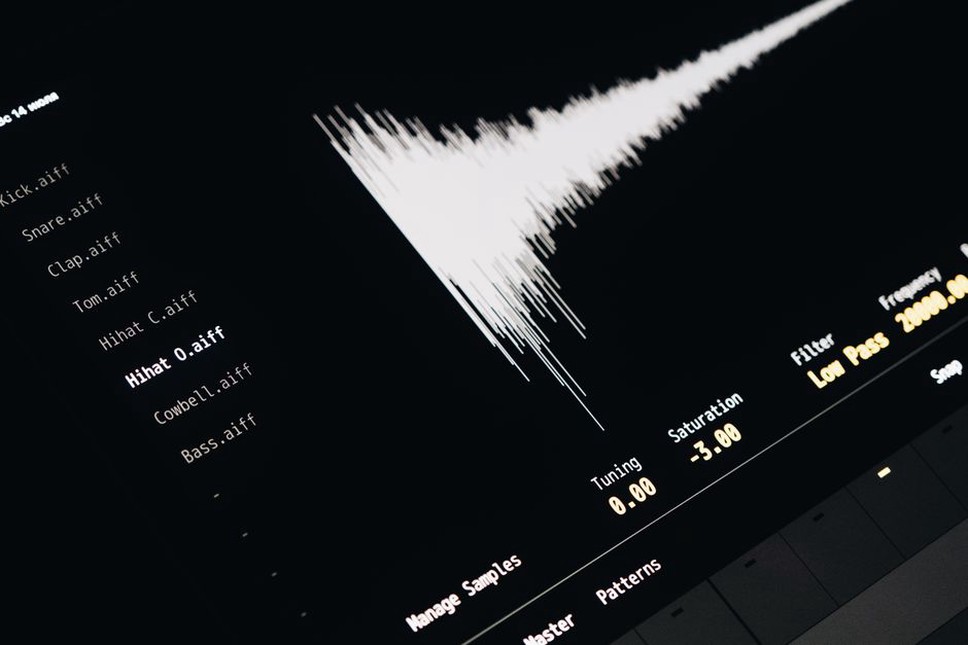
Why WAV and Not MP3 or FLAC
The choice of the WAV format in Japanese underground music is far from arbitrary. WAV is uncompressed, linear PCM audio—no lossy encoding, no metadata baggage (though it can carry metadata, most labels strip it). For noise artists who work with extreme dynamic range, feedback loops, and analog saturation, any compression algorithm introduces artifacts that alter the intended sound. FLAC, while lossless, adds a layer of complication: not all portable players or CD burners handle it natively. WAV, on the other hand, is the closest digital equivalent to a raw tape transfer. It is the format of the master, not the distribution copy.
Many Japanese labels—especially those operating on short-run CD-R or digital-only releases—insist on WAV precisely because it forces the listener to engage with the full resolution of the recording. A 24-bit/96 kHz WAV file of a field recording captures the rustle of leaves and the hum of a distant transformer with a fidelity that MP3 smears. The file size is large: a 20-minute stereo WAV at 16-bit/44.1 kHz is about 200 MB. At 24-bit/96 kHz, it exceeds 600 MB. That bulk is a statement. It says: this music was not made for streaming convenience. It demands storage, bandwidth, and attention.
Common Sampling Rates and Bit Depths
| Format | Typical Use in Japanese Underground | File Size (20 min stereo) |
|---|---|---|
| 16-bit / 44.1 kHz | Standard CD quality, common for noise and drone | ~200 MB |
| 24-bit / 44.1 kHz | Higher dynamic range for field recordings | ~300 MB |
| 24-bit / 48 kHz | Video sync, some electronic releases | ~330 MB |
| 24-bit / 96 kHz | High-resolution ambient, electroacoustic works | ~660 MB |
Artists who record directly to a portable recorder often capture at 24-bit/48 kHz or 96 kHz, then deliver the raw file to the label. The label may or may not dither down to 16-bit for the final release. Some labels explicitly state in their liner notes: "Mastered from 24-bit source." Others do not bother with metadata at all—the filename is the only information.
The Number in the Name: Practical and Conceptual
The number 1 in "1_20.wav" is rarely symbolic. It is simply the first track. But in a scene where many releases consist of a single long piece, the track number becomes redundant—yet it persists. Why? Because the file system expects a sequence. Labels that release multi-track works often use a two-digit prefix: 01, 02, etc. The underscore and duration then follow. For example, a double-CD release might appear as 01_45.wav and 02_38.wav. The duration serves as a quick sanity check: does the file length match the printed time in the insert? If not, the file may be corrupted or mislabeled.
This naming convention also facilitates easy sorting. When you drag a folder of such files into a DAW or a playlist, they line up in order. No need to rename or parse artist names. The listener who collects hundreds of these files can quickly scan durations to find a 20-minute drone piece versus a 5-minute noise burst. The system is utilitarian, but it also echoes the anonymity prized by many underground artists. The name of the musician is irrelevant; the sound itself is the only identifier.
Field Recording and the WAV Imperative
For practitioners of field recording—a core component of Japanese experimental music—WAV is non-negotiable. A field recording captures environmental sound with the intention of preserving its texture. Any lossy compression would flatten the micro-dynamics of wind, water, or machinery. Many field recordists work with portable devices that record directly to WAV (or BWF, a broadcast variant). The resulting files are often named by the recorder itself: REC001.WAV, REC002.WAV. Artists may rename them to something like 01_18.wav for a release, but the raw source remains uncompressed.
If you are new to collecting Japanese underground field recordings, understanding the WAV file's role is essential. A release that offers only MP3 downloads may be a red flag—it suggests the label prioritizes convenience over fidelity. Conversely, a label that provides WAV files (often with a download link that expires after a few days) respects the medium. For detailed guidance on how to capture your own field recordings in the style that complements these releases, see our practical guide on Field Recording for Experimental Music: Microphone Techniques and Practical Tips.
Mono vs. Stereo in the WAV Context
Another decision that surfaces in these numeric filenames is channel count. A file named 1_20.wav could be stereo or mono. In many Japanese noise releases, mono is deliberately chosen. A single microphone, a single speaker, a single channel of feedback. The WAV format handles both seamlessly, but the file size halves for mono. Some labels indicate channel count in the filename: 1_20m.wav for mono, 1_20s.wav for stereo. Others rely on the listener to check properties. The choice between mono and stereo is not merely technical—it shapes the spatial perception of the music. For a deeper analysis of how these formats affect listening, refer to our article Mono vs. Stereo in Japanese Underground Music: A Practical Guide.
Organizing Your Collection of Numeric WAV Files
If you accumulate releases that follow the 1_20.wav pattern, you will quickly face a problem: every file looks the same. Without metadata, a folder of 500 WAVs from different artists becomes unusable. Here are practical strategies that collectors and musicians in the scene use:
- Folder structure by label and catalog number. Most Japanese labels assign a catalog number (e.g.,
TT-012). Create a folder named after the catalog number, and inside it place the WAV files. The filename can remain as is. - Add a text file. Include a
info.txtin the folder with artist, title, recording date, and equipment. This preserves the anonymity of the filename while allowing you to search later. - Use a database or spreadsheet. Log each file's checksum (MD5 or SHA-256) alongside the catalog number. This helps verify integrity—a corrupted WAV may still play but with glitches that are indistinguishable from intentional noise.
- Rename only if necessary. Some collectors rename files to include artist and track title (e.g.,
Artist-01-20min.wav). This breaks the original aesthetic but improves usability. Decide based on your archiving philosophy.
The WAV format is unforgiving of errors. A single bit flip can produce a click or pop that ruins a delicate ambient piece. Always verify downloads with checksums when provided. Some labels publish a checksums.md5 file alongside the downloads. If not, generate your own upon receipt.
The Anonymity of the Number
There is a parallel between the numeric filename and the practice of anonymous or pseudonymous releases in Japanese underground music. Labels like badge520—explored in our article badge520: The Anonymous Archivist of Japanese Underground Noise—release music with no artist names, only catalog numbers. The WAV file inside that release might be named 01_20.wav. The listener is left with nothing but sound. This is not a flaw; it is a deliberate removal of context. The music exists outside biography, outside genre, outside the marketplace.
When you see 1_20 wav (with extra spaces, perhaps a typo in a blog post or a file that was renamed manually), it signals a mindset: the creator values the raw material over the packaging. The three spaces between "20" and "wav" might be a mistake, but in the world of underground digital distribution, mistakes are often preserved. A file named 1_20 .wav (with trailing spaces) will still play. The listener who notices the anomaly might wonder: was it intentional? That ambiguity is part of the experience.
To approach this world effectively, start by treating every WAV file as a primary document. Do not convert it to a smaller format for convenience. Do not strip its original name. Build a system that respects the creator's decision to reduce a release to two numbers and a file extension. In doing so, you engage with the music on its own terms—not as a product, but as a transmission.